4.3 KiB
4.3 KiB
{canscope}
CAN bus sniffer and SAE J1939 protocol analyzer. Reads CAN frames in candump format, decodes them using a J1939 Digital Annex (xlsx), and presents results in an interactive terminal UI or as JSON output.
Features
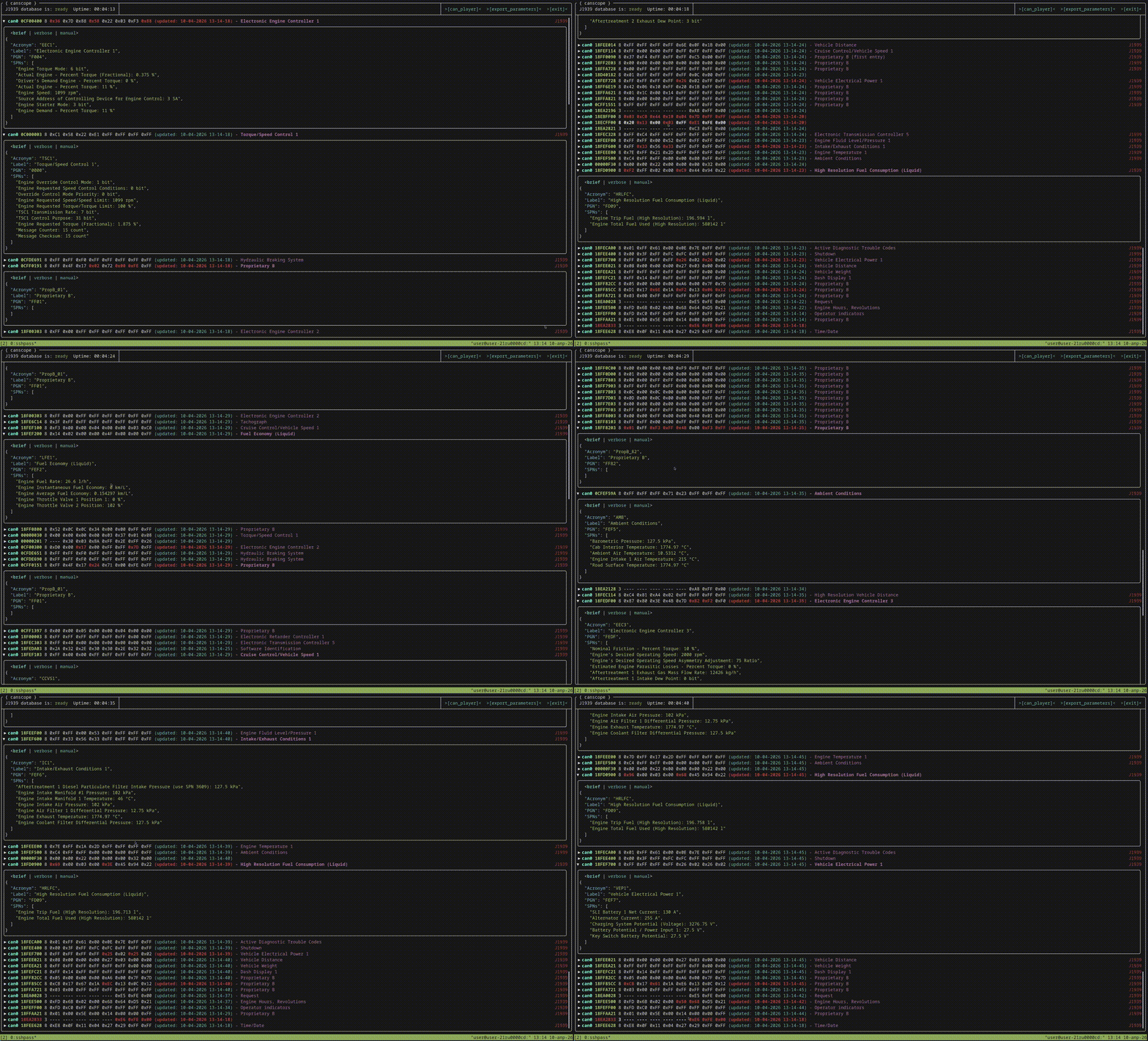
- TUI mode - full-screen interactive terminal interface (FTXUI). Multiple display modes per CAN ID: deployed, brief, verbose, manual, little-endian
- Headless mode - JSON output to stdout or file, for scripting and automation
- Recording - decoded J1939 SPN values saved to SQLite database with gzip compression and batch flushing
- J1939 decoding - PGN/SPN lookup, bit-level value extraction from payload
- CAN playback - replay recorded CAN frames
- Custom SPN configuration - per-parameter settings, parameter export
- Real-time - 30 fps UI refresh
Build
Requirements:
- clang++ with C++23 support
- CMake >= 3.13
- System libraries: boost (signals2, spirit, phoenix), sqlite3, systemd, zlib
The rest of the dependencies are fetched automatically via CMake FetchContent:
- FTXUI - terminal UI framework
- tiny-process-library - subprocess management
- sqlite_modern_cpp - modern C++ SQLite wrapper
- xlnt - xlsx reading
- fmt - text formatting
- nlohmann/json - JSON library
- spdlog - logging
- clipp - CLI argument parsing
cmake -B build -S . && cmake --build build -j$(nproc)
Binary: build/canscope
Docker
docker build -t canscope .
# TUI mode -- requires terminal and CAN interface access
docker run -it --network=host canscope -e "candump can0" -j1939 /app/thirdparty/j1939da_2018.xlsx

# Headless mode
docker run --network=host canscope -hl -e "candump can0" -j1939 /app/thirdparty/j1939da_2018.xlsx

# Read from stdin
candump can0 | docker run -i canscope -j1939 /app/thirdparty/j1939da_2018.xlsx -hl
Usage
# TUI mode (default)
./build/canscope -e "candump can0" -j1939 thirdparty/j1939da_2018.xlsx

# Headless -- JSON to stdout
./build/canscope -hl -e "candump can0" -j1939 thirdparty/j1939da_2018.xlsx

# Headless -- JSON to file
./build/canscope -hl -e "candump can0" -j1939 thirdparty/j1939da_2018.xlsx -of output.json

# Read from stdin (pipe)
candump can0 | ./build/canscope -j1939 thirdparty/j1939da_2018.xlsx

# Headless with stdin
candump can0 | ./build/canscope -hl -j1939 thirdparty/j1939da_2018.xlsx

# Docker -- TUI with CAN interface access
docker run -it --network=host canscope -e "candump can0" -j1939 /app/thirdparty/j1939da_2018.xlsx

# Docker -- headless
docker run --network=host canscope -hl -e "candump can0" -j1939 /app/thirdparty/j1939da_2018.xlsx

# Docker -- read from stdin
candump can0 | docker run -i canscope -hl -j1939 /app/thirdparty/j1939da_2018.xlsx

# Record to SQLite database
./build/canscope -rec -db recording.db -e "candump can0" -j1939 thirdparty/j1939da_2018.xlsx

# Record + TUI
./build/canscope -rec -db recording.db -tui -e "candump can0" -j1939 thirdparty/j1939da_2018.xlsx
Note: J1939 decoding has only been tested with the Digital Annex 2018 edition. Other editions may work but are not guaranteed.
CLI flags
| Flag | Long form | Description |
|---|---|---|
-j1939 |
--j1939-document |
(required) J1939 Digital Annex xlsx file |
-e |
--execute-command |
Command to read CAN frames from (e.g. "candump can0") |
-hl |
--headless |
Headless mode (no TUI) |
-of |
--output-file |
Output file path (headless mode) |
-rec |
--record |
Record decoded values to SQLite |
-db |
--database |
SQLite database path (required with -rec) |
-tui |
Show TUI alongside recording | |
-h |
--help |
Show help |
Roadmap
- Cross-platform support - Windows and macOS in addition to Linux
- Docker deployment - pre-built image for quick setup without manual compilation
- CANopen protocol support - CANopen decoding alongside J1939
- Other small features and enhancements - UI improvements, performance optimizations, additional export formats